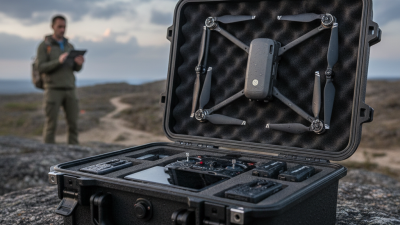
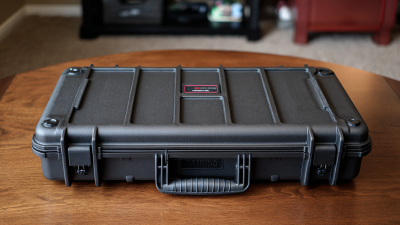
Taking a drone into the field means carrying more than an aircraft. The controller, batteries, propellers, cables, and filters all need protection and a place. That is where a well-chosen Drone Carrying Case earns its space. Still, a hard shell alone does not guarantee a good fit. Foam can press against a joystick, while loose compartments let small parts knock together. Those details matter after a bumpy drive or a rushed setup beside a windy shoreline. Small things add up.
Choosing well starts with your actual kit, not a product photo. Measure the drone with its arms folded, then check the controller, charger, and spare batteries. Look for snug, adjustable padding, sturdy latches, comfortable handles, and materials suited to dust or light rain. Check the case’s weight, too; extra protection is less useful if it stays at home. The tips below cover fit, protection, portability, storage, and build quality. They also show how to compare designs without assuming the most expensive option is best. Car trips may suit a compact case. Frequent flights need a different balance of size and protection. Inspect seams and zippers in person when possible, and compare the case dimensions with your equipment. Manufacturer claims can help, but your own measurements are better evidence. There are trade-offs. A case can be durable yet awkward, or light yet less protective. No option fits everyone. Use these ten practical checks to narrow your choices and reduce the chance of preventable damage.
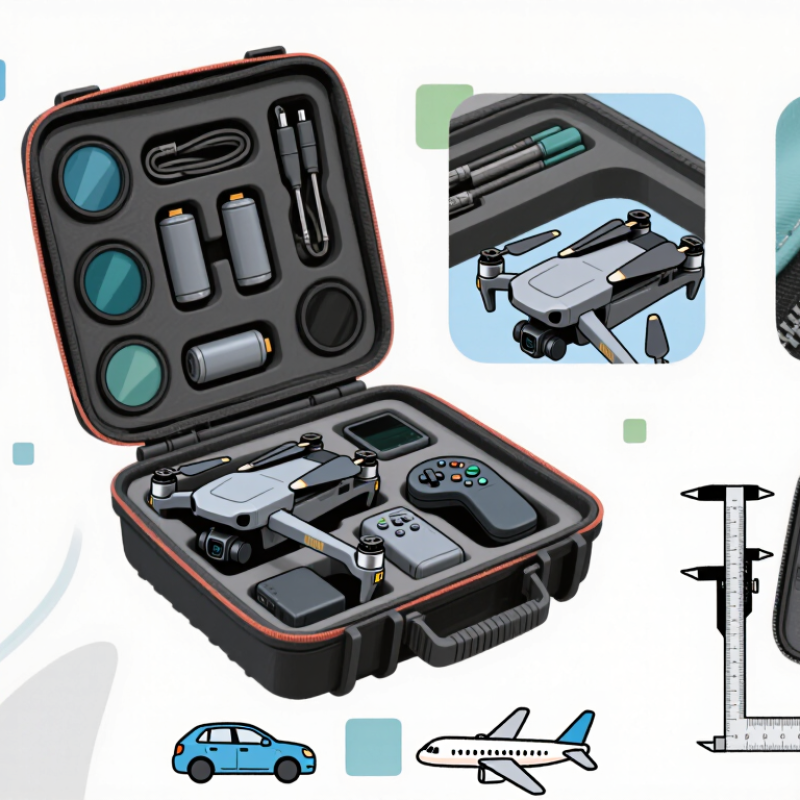
Measure the drone with its arms folded. Then list the controller, batteries, charger, and propeller guards you actually carry. A compact aircraft can still need a deep case once its controller sticks or landing gear are included. Check the manufacturer’s dimensions, then verify the fit yourself; removable parts and extra accessories can change what you need. Measure twice.
Lay everything out as you would pack it for a real outing. Include battery sleeves, cables, a phone, memory cards, and a small cleaning cloth if these travel with you. If you bring two batteries on local walks, a case built for six may add bulk you rarely use. For long transfers, consider a comfortable handle, manageable weight, and a shell that resists light rain and knocks. Not every trip is gentle.
Think about where the case will go: under a seat, in a car trunk, or on your shoulder during a hike. Compare its outside dimensions with your usual bag or storage space, not just its foam interior. Padding should hold the drone without pressing hard on joysticks or propellers. A snug fit sounds secure, but it can become awkward when packing and unpacking. Leave some room for gear your routine may add, without paying for space you do not need yet.
A secure interior should hold the drone steady without squeezing it. Before choosing a case, measure the aircraft, controller, and accessories you plan to carry. A snug fit matters. The drone should not slide when you tilt the open case, but its arms and landing gear should not bear hard against the walls. The goal is support, not pressure.
Look for adjustable dividers or foam that can be shaped to your equipment. Make separate spaces for the controller, spare propellers, cables, and batteries. Keep sharp accessory edges away from delicate camera parts. Leave a little clearance around joysticks and switches; a lid pressing on them can cause damage over time. For batteries, follow the maker’s storage guidance rather than assuming a padded pocket is enough.
Test the layout before taking a trip. Place everything inside, close the lid gently, then reopen it and check for shifted items or fresh pressure marks. It may take a few tries. That is normal, though custom-cut foam can be awkward to revise. A small gap is often safer than an overly tight cut, and worn foam should be replaced when it stops holding equipment securely.
| # | Selection Factor | What to Look For | Practical Check |
|---|---|---|---|
| 1 | Customizable interior | Pick-and-pluck foam, adjustable dividers, or another layout that can be adapted to the drone and its accessories. | Arrange the aircraft, controller, batteries, and cables, then check that each item has a snug, separate space. |
| 2 | Secure fit | The drone should not shift noticeably when the closed case is gently tilted. Foam should support the equipment without pressing on delicate controls or moving parts. | Close the case without forcing the lid, then gently tilt it in different directions and listen for movement. |
| 3 | Interior measurements | Compare the usable interior length, width, and depth with the drone’s dimensions, including folded arms, landing gear, and attached accessories. | Measure the equipment yourself and leave room for padding; do not rely on exterior case dimensions alone. |
| 4 | Protection from impacts | A rigid shell and adequately cushioned interior can help protect equipment from routine knocks. Protection depends on the case design and how it is packed. | Check that foam covers vulnerable areas and that the drone cannot make direct contact with hard surfaces. |
| 5 | Weather resistance | If you expect rain, dust, or splashes, look for a well-sealed closure and clearly stated resistance details. Water resistance is not the same as being waterproof. | Review the manufacturer’s test information and care instructions; do not assume a case is submersible. |
| 6 | Battery storage | Choose dedicated spaces that keep batteries separated, protected from impact, and easy to inspect. Follow the battery maker’s storage and transport guidance. | Confirm that batteries fit without being squeezed and cannot shift into the drone or other accessories. |
| 7 | Closure and latches | Look for closures that hold the lid evenly shut and are easy to operate. A pressure-relief valve may be useful on some sealed cases when air pressure changes. | Open and close every latch several times and check that the lid aligns without gaps or excessive force. |
| 8 | Portability | Consider the fully packed weight, handle comfort, and whether wheels or backpack straps suit your usual route. | Load the case with your equipment and test carrying it over the distance and terrain you expect to travel. |
| 9 | Accessory organization | Separate compartments help keep the controller, propellers, chargers, cables, and small tools organized and away from the aircraft. | Check that compartments are large enough for your actual accessories and that loose items cannot fall into the drone’s space. |
| 10 | Room for future changes | A reconfigurable interior can accommodate replacement parts or additional equipment without requiring a new case. | Before buying, sketch a layout for your current kit and the accessories you are likely to add. |
A drone case should match the weather and handling it will actually face. Molded plastic shells resist crushing and wipe clean, while fabric cases are lighter but depend on coated seams and sound zippers. Foam matters just as much: a snug cutout should hold the drone without pressing propellers or controls. Lift the loaded case and check whether the handle pulls evenly. Small details count.
Check protection claims against test conditions. IEC 60529 defines an IPX4 test for splashing water and an IPX7 immersion test of up to 1 meter for 30 minutes under specified conditions. These ratings describe enclosure tests, not a guarantee that every zipper, cable opening, or accessory pocket stays dry. Look for sealed closures and a raised lip around the lid. Rain finds gaps.
For impact protection, ask how the case was tested, not just how thick its walls look. ASTM D5276 describes free-fall drop testing for loaded containers; a seller’s claim is more useful when it names the test setup and drop height. Foam that is too soft can let a drone strike the shell; foam that is too tight can strain arms during removal. Not perfect, though. I would test the fit with the actual aircraft and batteries before trusting a case on a bumpy ride.
A case may look compact on a shelf and feel awkward after a long walk from the car. Check its weight when empty, then estimate the load with your aircraft, controller, cables, and accessories inside. Measure the packed drone, too, including its propellers if they stay attached. Leave a little clearance around delicate parts. Too tight is risky.
Storage should keep gear organized without turning every setup into a puzzle. Look for shaped compartments, adjustable dividers, and a separate space for small items such as memory cards or spare cables. A padded section for batteries can prevent them from knocking against harder equipment. Check that dividers stay put when the case is tilted. Loose foam can shift.
For transport, compare the handle, shoulder strap, and closure before buying. A wide, padded strap feels better when you carry the case across a parking lot or uneven path. Wheels can help with heavier loads, but they are less useful on gravel or stairs. Try the latches with one hand, if possible. I would not judge a case by its appearance alone; an attractive shell can still be tiring to carry. The best fit depends on your actual route, not just the gear list.
Compare these practical case-selection priorities on a 1–5 scale. Scores are a planning guide, not survey results.
Before buying, check that the case fits your specific aircraft and accessories, protects them during transport, and suits the way you travel.
A drone case should protect the aircraft without becoming a burden to carry. Start by measuring the drone with its propellers removed, plus the controller, batteries, and charger. Tip 1: Check the interior dimensions, not just the case’s outside size. A few extra centimeters can prevent tight straps from pressing against delicate parts. Fit matters.
Tip 2: Match durability to your usual trips. A hard shell and padded dividers can help when gear travels in a crowded car or gets set down on rough ground. For short walks, though, a lighter soft-sided case may be easier to manage. Tip 3: Inspect the zipper, seams, handle, and shoulder strap. These small details often reveal more than a dramatic water-resistance claim. Test the handle.
Tip 4: Compare useful protection with the price. Reinforced corners may be worth paying for if you travel often, but extra pockets add little value when they stay empty. Tip 5: Consider access and organization. Separate battery sleeves and a clear place for cables reduce rummaging at a launch site. Don’t assume the roomiest case is best; loose equipment can shift. I’d still leave a little space for a spare cable, though that makes the fit less tidy.